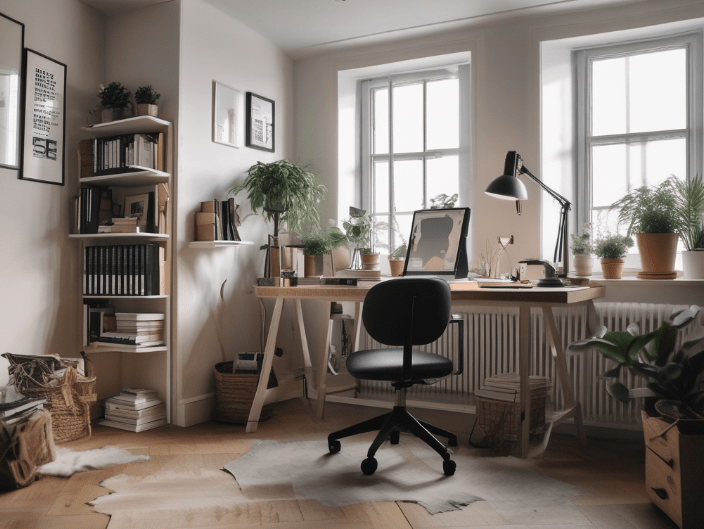
Working from home can offer flexibility and convenience, but it also requires discipline and organisation to maintain productivity.
Here are 20 ways to stay organised and productive while working from home:
1. Create a Dedicated Workspace
Designate a specific area: Choose a quiet, comfortable space free from distractions.
Organise your desk: Keep essential items within reach and minimise clutter.
2. Set a Schedule
Consistent hours: Start and end work at the same times each day.
Breaks: Schedule regular breaks to rest and recharge.
3. Use a Planner or Digital Calendar
Daily tasks: Plan your day with specific tasks and deadlines.
Reminders: Set reminders for important meetings and deadlines.
4. Prioritise Tasks
To-do list: Create a daily to-do list and prioritise tasks by importance and urgency.
Focus on top priorities: Tackle high-priority tasks first.
5. Set Goals
Short-term goals: Define daily and weekly goals.
Long-term goals: Set monthly and yearly objectives to stay motivated.
6. Eliminate Distractions
Limit interruptions: Inform family members of your work hours and set boundaries.
Turn off notifications: Disable non-essential notifications on your phone and computer.
7. Use Productivity Tools
Task management apps: Utilise apps like Trello, Asana, or Todoist to organise and track tasks.
Time management tools: Use tools like Pomodoro Technique or time tracking apps to manage work periods and breaks.
8. Maintain a Clean Workspace
Daily cleaning: Spend a few minutes each day tidying up your workspace.
Weekly deep clean: Regularly clean and organise your work area to maintain a pleasant environment.
9. Optimise Your Workspace
Ergonomic setup: Ensure your chair, desk, and computer setup support good posture.
Adequate lighting: Use natural light or invest in good-quality lighting to reduce eye strain.
10. Dress for Success
Work attire: Dress as if you’re going to the office to put yourself in a professional mindset.
11. Set Boundaries
Work-life balance: Set clear boundaries between work time and personal time.
Designated work hours: Communicate your work hours to family and friends to minimise interruptions.
12. Stay Connected
Regular check-ins: Schedule regular meetings with colleagues to stay connected and updated.
Communication tools: Use tools like Slack, Microsoft Teams, or Zoom for effective communication.
13. Stay Active
Exercise: Incorporate physical activity into your daily routine to boost energy and productivity.
Stretching: Take short breaks to stretch and move around to prevent stiffness and fatigue.
14. Keep a Healthy Work-Life Balance
Scheduled downtime: Allocate time for relaxation and hobbies.
Avoid overworking: Stick to your work schedule and avoid working late hours.
15. Use a Whiteboard or Cork-board
Visual reminders: Use a whiteboard or cork-board to display important tasks, deadlines, and notes.
16. Manage Email Efficiently
Email schedule: Set specific times to check and respond to emails.
Organise inbox: Use folders, labels, and filters to keep your inbox organised.
17. Plan Your Meals
Meal prep: Prepare meals and snacks in advance to avoid wasting time during work hours.
Healthy eating: Choose nutritious foods to maintain energy levels throughout the day.
18. Take Advantage of Technology
Automation: Use automation tools to streamline repetitive tasks.
Software updates: Keep your software and tools up to date for optimal performance.
19. Seek Feedback
Regular feedback: Request feedback from colleagues or supervisors to improve your work.
Self-assessment: Regularly assess your performance and make adjustments as needed.
20. Stay Motivated
Set rewards: Reward yourself for completing tasks and reaching goals.
Positive environment: Surround yourself with motivational quotes, plants, or items that inspire you.
Conclusion
By implementing these strategies, you can create an organised and productive work environment at home. The key is to establish routines, use the right tools, and maintain a healthy balance between work and personal life.
Discover more from Move or Improve
Subscribe to get the latest posts sent to your email.
 Move or Improve
Leave a comment