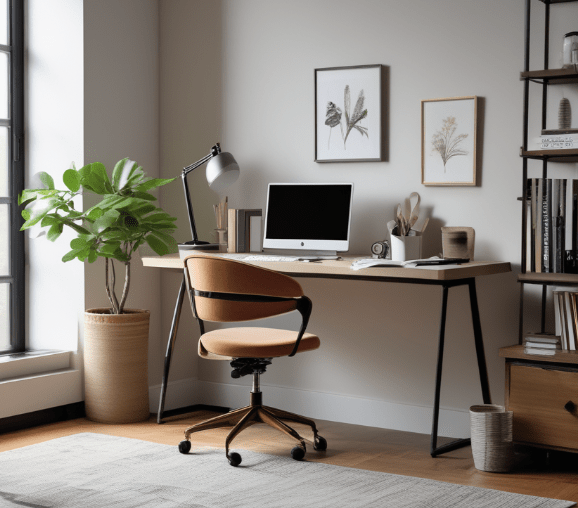
Creating a home office can enhance productivity and provide a comfortable workspace.
Here’s a step-by-step guide to help you set up a functional and attractive home office:
1. Identify the Space
a. Choosing the Right Location
Quiet Area: Select a location that is quiet and free from distractions. This could be a spare bedroom, a corner in the living room, or even a converted closet.
Natural Light: Preferably choose a space with ample natural light, as it can boost productivity and improve mood.
Separation: Ensure the space is somewhat separate from the main living areas to create a clear distinction between work and home life.
Sources:
Real Simple – Choosing the Right Space
HGTV – Home Office Ideas
2. Design and Layout
a. Ergonomic Furniture
Desk: Choose a desk that fits your space and provides enough surface area for your work. Consider options like standing desks if preferred.
Chair: Invest in an ergonomic chair that supports good posture and is comfortable for long periods.
Storage: Incorporate storage solutions like shelves, filing cabinets, or drawers to keep your workspace organised.
b. Layout Considerations
Accessibility: Ensure that everything you need is within easy reach to minimise unnecessary movement.
Comfort: Position your desk and chair to maximise comfort and reduce strain. Your computer screen should be at eye level to prevent neck strain.
Sources:
The Spruce – Home Office Layout Tips
Healthline – Ergonomic Home Office Setup
3. Technology and Equipment
a. Essential Equipment
Computer and Accessories: A reliable computer, keyboard, mouse, and possibly a second monitor for increased productivity.
Internet Connection: Ensure a strong and stable internet connection to support video conferencing and online work.
Printer/Scanner: If your work involves a lot of documents, a printer/scanner can be very useful.
b. Cable Management
Organisers: Use cable organisers or trays to keep cords neat and prevent them from becoming a tripping hazard.
Wireless Options: Consider wireless keyboards, mice, and printers to reduce the number of cables.
Sources:
PCMag – Essential Home Office Tech
Wirecutter – Best Home Office Equipment
4. Lighting and Ambience
a. Lighting Setup
Natural Light: Maximise natural light by positioning your desk near windows.
Task Lighting: Use desk lamps to provide focused lighting for reading and writing.
Ambient Lighting: Ensure the room is well-lit with overhead lights to reduce eye strain.
b. Decor and Personal Touches
Aesthetics: Choose a colour scheme and decor that inspire and motivate you.
Plants: Add indoor plants to improve air quality and add a touch of nature.
Personal Items: Incorporate personal items like photos, art, or mementos to make the space feel more inviting.
Sources:
House Beautiful – Home Office Lighting Tips
Good Housekeeping – Home Office Decor Ideas
5. Organisation and Productivity
a. Organisational Tools
Bulletin Boards: Use bulletin boards or whiteboards for notes, calendars, and reminders.
Filing System: Implement a filing system for important documents to keep them organised and easily accessible.
Desk Organisers: Use trays, baskets, and drawer dividers to keep your desk clutter-free.
b. Productivity Enhancements
Time Management: Use tools like planners, calendars, and productivity apps to manage your time effectively.
Breaks and Movement: Schedule regular breaks and incorporate movement into your day to stay energised and focused.
Sources:
Forbes – Productivity Tips for Home Offices
Inc. – How to Stay Productive When Working from Home
By carefully planning and setting up your home office, you can create a workspace that enhances productivity, comfort, and overall well-being
Discover more from Move or Improve
Subscribe to get the latest posts sent to your email.
 Move or Improve
Leave a comment